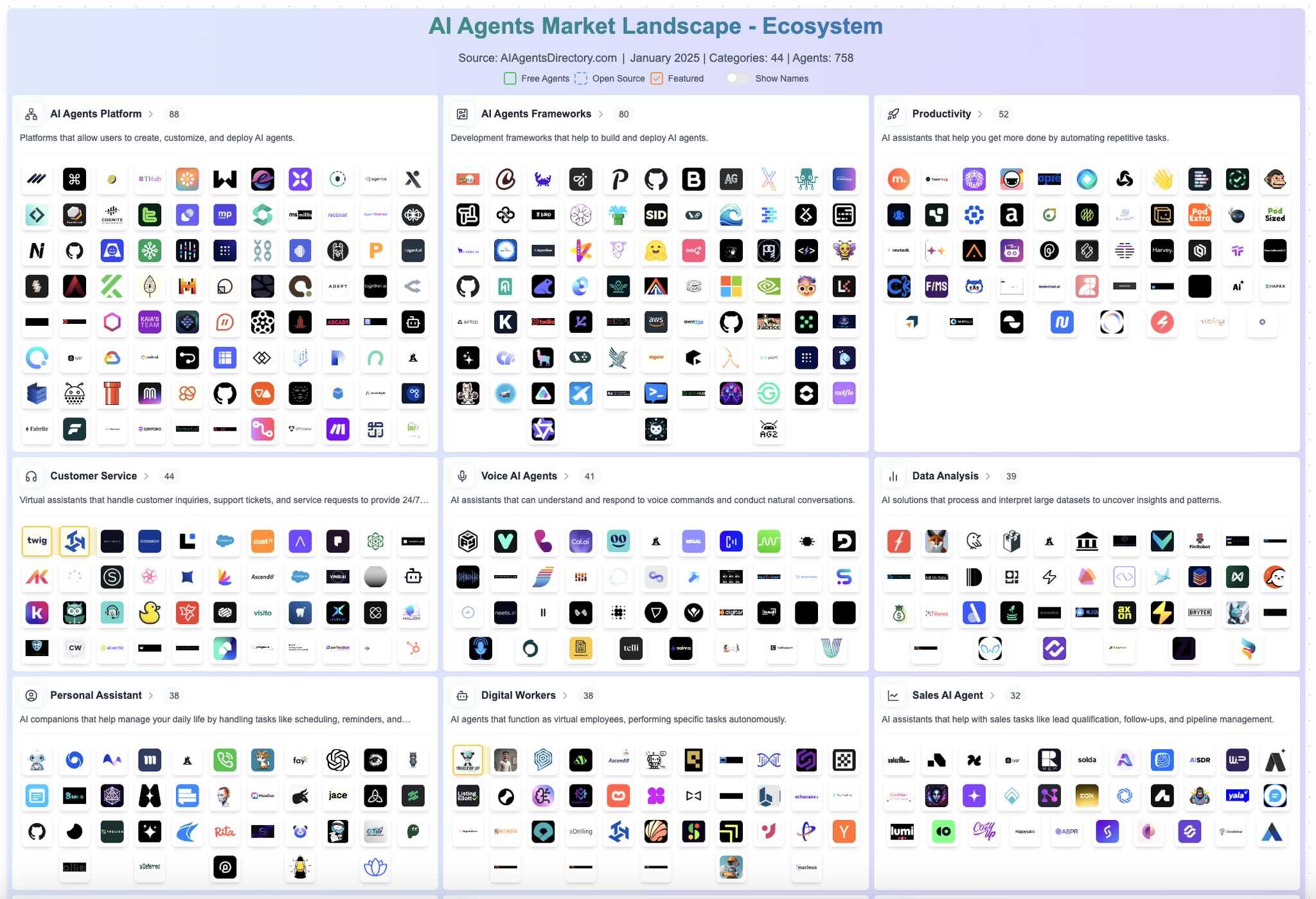
Agents - Framework / Tools
Choosing the Right Agentic Framework
Not all platforms are created equal. Some are no-code, some are open-source, some focus on orchestration, and others on ease of integration.
- OpenAI Agents API – Great for GPT-native agents, thread-based logic
- Google Vertex AI – Strong orchestration + enterprise-ready
- LangGraph – DAG-based workflows for complex multi-agent flows
- AutoGen / CrewAI – Agent-to-agent communication with tool chaining
- Make / n8n – Ideal for no-code, scenario-based automation
Understanding MCP (Multi-Agent Communication Protocol), memory integration, and orchestration style is essential when scaling from simple prompts to full systems.
SmolAgent - Agents
Building your agent
To initialize a minimal agent, you need at least these two arguments:
-
model, a text-generation model to power your agent - because the agent is different from a simple LLM, it is a system that uses a LLM as its engine. You can use any of these options:- TransformersModel takes a pre-initialized
transformerspipeline to run inference on your local machine usingtransformers. - HfApiModel leverages a
huggingface_hub.InferenceClientunder the hood. - LiteLLMModel lets you call 100+ different models through LiteLLM!
- AzureOpenAIServerModel allows you to use OpenAI models deployed in Azure.
- TransformersModel takes a pre-initialized
-
tools, a list ofToolsthat the agent can use to solve the task. It can be an empty list. You can also add the default toolbox on top of yourtoolslist by defining the optional argumentadd_base_tools=True.
Links
- GitHub - huggingface/smolagents: 🤗 smolagents: a barebones library for agents. Agents write python code to call tools and orchestrate other agents. ⭐ 27k
- smolagents
- Introducing smolagents: simple agents that write actions in code.
- Build Multi-Agent Systems with SmolAgents - YouTube
- Build AI Agents using HuggingFace's SmolAgents | Agentic AI - YouTube
- Build AI Agents using HuggingFace's SmolAgents | Agentic AI - YouTube
- Hugging Face's Smolagents: A Guide With Examples
- SmolAgents: A Smol Library to Build Agents - YouTube
- smolagent-tutorial.ipynb
CrewAI
Production-grade framework for orchestrating sophisticated AI agent systems. From simple automations to complex real-world applications, CrewAI provides precise control and deep customization. By fostering collaborative intelligence through flexible, production-ready architecture, CrewAI empowers agents to work together seamlessly, tackling complex business challenges with predictable, consistent results.
Why CrewAI?
The power of AI collaboration has too much to offer. CrewAI is a standalone framework, built from the ground up without dependencies on Langchain or other agent frameworks. It's designed to enable AI agents to assume roles, share goals, and operate in a cohesive unit - much like a well-oiled crew. Whether you're building a smart assistant platform, an automated customer service ensemble, or a multi-agent research team, CrewAI provides the backbone for sophisticated multi-agent interactions.
Links
- GitHub - crewAIInc/crewAI: Framework for orchestrating role-playing, autonomous AI agents. By fostering collaborative intelligence, CrewAI empowers agents to work together seamlessly, tackling complex tasks. ⭐ 49k
- CrewAI
- GitHub - crewAIInc/crewAI-examples: A collection of examples that show how to use CrewAI framework to automate workflows. · GitHub ⭐ 5.9k
Agno
Developers use Agno to build Reasoning Agents, Multimodal Agents, Teams of Agents and Agentic Workflows. Agno also provides a beautiful UI to chat with your Agents, pre-built FastAPI routes to serve your Agents and tools to monitor and evaluate their performance.
Use Agno to build the 5 levels of Agentic Systems:
- Level 1: Agents with tools and instructions.
- Level 2: Agents with knowledge and storage.
- Level 3: Agents with memory and reasoning.
- Level 4: Agent Teams that can reason and collaborate.
- Level 5: Agentic Workflows with state and determinism.
# pip install -U agno

from agno.agent import Agent
from agno.models.anthropic import Claude
from agno.tools.reasoning import ReasoningTools
from agno.tools.yfinance import YFinanceTools

reasoning_agent = Agent(
    model=Claude(id="claude-sonnet-4-20250514"),
    tools=[
        ReasoningTools(add_instructions=True),
        YFinanceTools(stock_price=True, analyst_recommendations=True, company_info=True, company_news=True),
    ],
    instructions="Use tables to display data.",
    markdown=True,
)
A beautiful UI for your Agents - Agno
agno/cookbook/getting_started/05_agent_team.py at main · agno-agi/agno · GitHub ⭐ 40k
AutoGen
Autogen Studio
An web-based UI for prototyping with agents without writing code. Built on AgentChat.
AutoGen Studio is a low-code interface built to help you rapidly prototype AI agents, enhance them with tools, compose them into teams and interact with them to accomplish tasks. It is built on AutoGen AgentChat - a high-level API for building multi-agent applications.
pip install -U autogenstudio
autogenstudio ui --port 8080 --appdir ./myapp

autogenstudio serve --team=team-config.json --port=5000
VertexAI
- Build an agent using playbooks | Dialogflow CX | Google Cloud
- Playbook-based pre-built agents | Dialogflow CX | Google Cloud
- GitHub - FirebaseExtended/compass-travel-planning-sample ⭐ 51
- Intro to AI agents - YouTube
- Build and deploy generative AI agents using natural language with Vertex AI Agent Builder - YouTube
- GitHub - kkrishnan90/vertex-ai-search-agent-builder-demo ⭐ 11
Frameworks
- GitHub - langchain-ai/langchain: The agent engineering platform · GitHub ⭐ 134k
- GitHub - microsoft/autogen: A programming framework for agentic AI · GitHub ⭐ 57k
- GitHub - agno-agi/agno: Build, run, manage agentic software at scale. · GitHub ⭐ 40k
- GitHub - OpenBMB/ChatDev: ChatDev 2.0: Dev All through LLM-powered Multi-Agent Collaboration · GitHub ⭐ 33k
- GitHub - langchain-ai/langgraph: Build resilient language agents as graphs. · GitHub ⭐ 30k
- GitHub - huggingface/smolagents: 🤗 smolagents: a barebones library for agents that think in code. · GitHub ⭐ 27k
- GitHub - mastra-ai/mastra: From the team behind Gatsby, Mastra is a framework for building AI-powered applications and agents with a modern TypeScript stack. · GitHub ⭐ 23k
- GitHub Star History
- agentic-frameworks-deep-dive-analysis
AI Agents / Tools
- agent.ai | The Professional Network for AI Agents
- AI Agents Directory - Find and Compare AI Assistants | AI Agents List
- AI Agents Marketplace | AI Agents Directory - Discover Best AI Agents
- GitHub - ashishpatel26/500-AI-Agents-Projects: The 500 AI Agents Projects is a curated collection of AI agent use cases across various industries. It showcases practical applications and provides links to open-source projects for implementation, illustrating how AI agents are transforming sectors such as healthcare, finance, education, retail, and more. ⭐ 29k
- GitHub - MotiaDev/motia: Event-based orchestration framework for agents and intelligent automations ⭐ 15k
- GitHub - strands-agents/sdk-python: A model-driven approach to building AI agents in just a few lines of code. ⭐ 5.7k
- GitHub - NirDiamant/GenAI_Agents: This repository provides tutorials and implementations for various Generative AI Agent techniques, from basic to advanced. It serves as a comprehensive guide for building intelligent, interactive AI systems. ⭐ 22k
- GitHub - HKUDS/AutoAgent: "AutoAgent: Fully-Automated and Zero-Code LLM Agent Framework" ⭐ 9.2k
- GitHub - weaviate/elysia: Python package and backend for the Elysia platform app. ⭐ 1.9k
- GitHub - emcie-co/parlant: LLM agents built for control. Designed for real-world use. Deployed in minutes. ⭐ 18k
- GitHub - openai/agents.md: AGENTS.md — a simple, open format for guiding coding agents ⭐ 21k
- GitHub - agentscope-ai/agentscope: AgentScope: Agent-Oriented Programming for Building LLM Applications ⭐ 24k
- AgentScope
- Transparency - Full visibility over prompts, reasoning chains, and agent interactions.
- Runtime Control - Native support for interruptions, overrides, and custom error handling.
- Agentic Core - Built-in handling for tools, memory, RAG, and multi-agent collaboration.
- Model Agnostic - Works with any LLM provider without lock-in.
- Composable - Modular, LEGO-style components let developers mix and match agents.
- LlamaAgents Builder: From Prompt to Deployed AI Agent in Minutes - MachineLearningMastery.com
- GitHub - growthxai/output: The open-source TypeScript framework for building AI workflows and agents. Designed for Claude Code describe what you want, Claude builds it, with all the best practices already in place. · GitHub ⭐ 169