Claude Code Skills
Built-in Commands
Session Management
- /compact: Shrink conversation history to save tokens
- /clear: Wipe old context
- /rewind: (Double-tap
Esc) Undo recent changes or revert conversation
Configuration
- /init: Create
CLAUDE.mdfile - /model: Switch between models (haiku/sonnet/opus)
- /mcp: Manage Model Context Protocol servers
- /powerup: Interactive lessons with animated demos
Development
- /review: Code review of current changes
- /loop: Run prompt on schedule (e.g.,
/loop 5m check deployment)
Monitoring
- /cost: Token usage breakdown with USD estimate
- /stats: Token usage and rate limit status
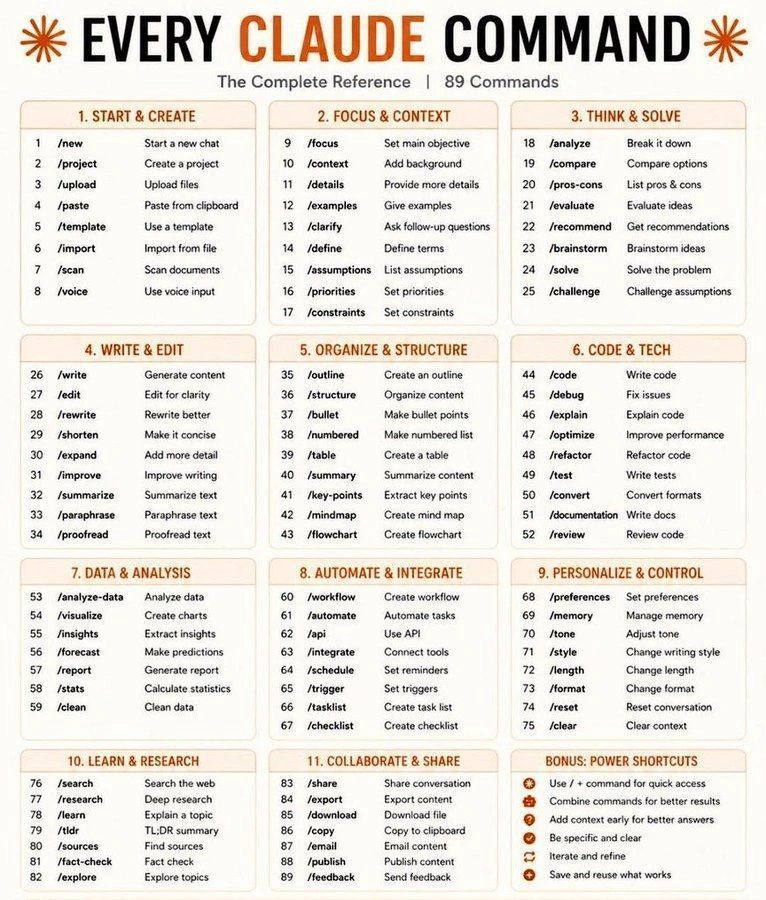
| Command | Description |
|---|---|
/deep-research | [dynamic workflow] Deep research harness — fan-out web searches, fetch sources, adversarially verify claims, synthesize a cited report. |
/init | Initialize a new CLAUDE.md file with codebase documentation. |
/update-config | Use this skill to configure the Claude Code harness via settings.json. Automated behaviors ("from now on when X", "each time X", "whenever X", "before/after X") require hooks configured in settings.json - the harness executes these, not Claude, so memory/preferences cannot fulfill them. Also … |
/add-dir | Add a new working directory. |
/agents | Manage agent configurations. |
/background | Send this session to the background and free the terminal. |
/branch | Create a branch of the current conversation at this point. |
/btw | Ask a quick side question without interrupting the main conversation. |
/clear | Start a new session with empty context; previous session stays on disk (resumable with /resume). |
/color | Set the prompt bar color for this session. |
/compact | Free up context by summarizing the conversation so far. |
/config | Open config panel. |
/context | Visualize current context usage as a colored grid. |
/copy | Copy Claude's last response to clipboard (or /copy N for the Nth-latest). |
/diff | View uncommitted changes and per-turn diffs. |
/doctor | Diagnose and verify your Claude Code installation and settings. |
/effort | Set effort level for model usage. |
/exit | Exit the CLI. |
/export | Export the current conversation to a file or clipboard. |
/feedback | Submit feedback, report a bug, or share your conversation. |
/focus | Toggle focus view (show only your prompt, a tool summary, and the final response). |
/fork | Spawn a background agent that inherits the full conversation. |
/goal | Set a goal — keep working until the condition is met. |
/help | Show help and available commands. |
/hooks | View hook configurations for tool events. |
/ide | Manage IDE integrations and show status. |
/keybindings | Open or create your keybindings configuration file. |
/login | Sign in with your Anthropic account. |
/mcp | Manage MCP servers. |
/memory | Edit Claude memory files. |
/mobile | Show QR code to download the Claude mobile app. |
/model | Set the AI model for Claude Code (currently Sonnet 4.5). |
/permissions | Manage allow & deny tool permission rules. |
/plan | Enable plan mode or view the current session plan. |
/plugin | Manage Claude Code plugins. |
/powerup | Discover Claude Code features through quick interactive lessons. |
/recap | Generate a one-line session recap now. |
/release-notes | View release notes. |
/reload-plugins | Activate pending plugin changes in the current session. |
/reload-skills | Pick up skills added or changed on disk during this session. |
/rename | Rename the current conversation. |
/resume | Resume a previous conversation. |
/rewind | Restore the code and/or conversation to a previous point. |
/sandbox | sandbox disabled (⏎ to configure). |
/setup-vertex | Reconfigure Google Vertex AI authentication, project, region, or model pins. |
/skills | List available skills. |
/status | Show Claude Code status including version, model, account, API connectivity, and tool statuses. |
/stickers | Order Claude Code stickers. |
/tasks | List and manage background tasks. |
/terminal-setup | Enable iTerm2 clipboard access for /copy. |
/theme | Change the theme. |
/tui | Set the terminal UI renderer (default | fullscreen). |
/usage | Show session cost, plan usage, and activity stats. |
/workflows | Browse dynamic workflow history (running and completed). |
/batch | Research and plan a large-scale change, then execute it in parallel across 5–30 isolated worktree agents that each open a PR. |
/claude-api | Build, debug, and optimize Claude API / Anthropic SDK apps. Apps built with this skill should include prompt caching. Also handles migrating existing Claude API code between Claude model versions (4.5 → 4.6, 4.6 → 4.7, retired-model replacements). TRIGGER when: code imports anthropic/@anthropic-a… |
/code-review | Review the current diff for correctness bugs and reuse/simplification/efficiency cleanups at the given effort level (low/medium: fewer, high-confidence findings; high→max: broader coverage, may include uncertain findings). Pass --comment to post findings as inline PR comments, or --fix to apply the fi… |
/debug | Enable debug logging for this session and help diagnose issues. |
/fewer-permission-prompts | Scan your transcripts for common read-only Bash and MCP tool calls, then add a prioritized allowlist to project .claude/settings.json to reduce permission prompts. |
/insights | Generate a report analyzing your Claude Code sessions. |
/loop | Run a prompt or slash command on a recurring interval (e.g. /loop 5m /foo, defaults to 10m). |
/review | Review a pull request. |
/run | Launch and drive this project's app to see a change working. Use when asked to run, start, or screenshot the app, or to confirm a change works in the real app (not just tests). First looks for a project skill that already covers launching the app; otherwise falls back to built-in patterns per projec… |
/run-skill-generator | Author or improve the run- skill — a per-project skill that tells agents how to build, launch, and drive this project's app. Use when the user asks to set up the project, get it running, write run instructions, or verify build/run steps work from a clean environment. |
/security-review | Complete a security review of the pending changes on the current branch. |
/simplify | Review the changed code for reuse, simplification, efficiency, and altitude cleanups, then apply the fixes. Quality only — it does not hunt for bugs; use /code-review for that. |
/statusline | Set up Claude Code's status line UI. |
/team-onboarding | Help teammates ramp on Claude Code with a guide from your usage. |
/verify | Verify that a code change actually does what it's supposed to by running the app and observing behavior. Use when asked to verify a PR, confirm a fix works, test a change manually, check that a feature works, or validate local changes before pushing. |
Skills System
What are Skills?
Skills are reusable instruction files that Claude follows automatically when relevant to your task.
Skills vs Slash Commands
| Feature | Slash Commands | Skills |
|---|---|---|
| Invocation | Manual: You type /command to trigger | Automatic: Claude detects when needed based on context |
| Best For | One-off actions, session control (e.g., /cost, /compact) | Complex workflows, domain expertise (e.g., security audits, refactoring) |
| Data Structure | Single .md file in .claude/commands/ | Folder with SKILL.md + supporting files |
| Token Efficiency | Entire prompt added to context every invocation | Progressive Disclosure: Only name/description load initially |
Understanding CLAUDE.md vs Skills vs Slash Commands
Creating Custom Skills
Directory structure:
~/.claude/skills/
├── my-skill/
│   └── SKILL.md
├── another-skill/
│   └── SKILL.md
SKILL.md format:
---
name: my-skill
description: Brief description of what this skill does
---

# Skill Title

Detailed instructions for Claude to follow when this skill is invoked.

## When to Use

Describe scenarios where this skill applies.

## Workflow

Step-by-step instructions:

1. Step 1
2. Step 2
3. Step 3

## Examples

Provide concrete examples of how to use this skill.
Creating a skill:
# Create skill directory
mkdir -p ~/.claude/skills/my-skill

# Create SKILL.md file
cat > ~/.claude/skills/my-skill/SKILL.md << 'EOF'
---
name: my-skill
description: Example skill for demonstration
---

# My Skill

Instructions for Claude...
EOF

# Reload skills in active Claude session
/reload-skills

# Invoke the skill
/my-skill
Example skill: Note Skill - Fully automated knowledge base organization with semantic search, categorization, and intelligent linking
Best practices:
- Clear invocation triggers: Describe when skill should activate
- Structured workflows: Use numbered steps for clarity
- Concrete examples: Show expected inputs/outputs
- Progressive disclosure: Start with overview, add details in sections
- Test thoroughly: Try skill on real tasks before committing
Skill resources:
- Superpowers Skills Framework ⭐ 229k
- Everything Claude Code ⭐ 216k
- Awesome Claude Skills ⭐ 13k
- Agent Skills Marketplace
Others
AWS Configuration
Set up Agent Toolkit for AWS by following instructions: https://raw.githubusercontent.com/aws/agent-toolkit-for-aws/refs/heads/main/setup-instructions/setup.md